Delete Account
We're sad to see you go. But if you must, follow these simple steps to permanently delete your account on the EtiGo app.
1. Access Your Settings
View your account preferences
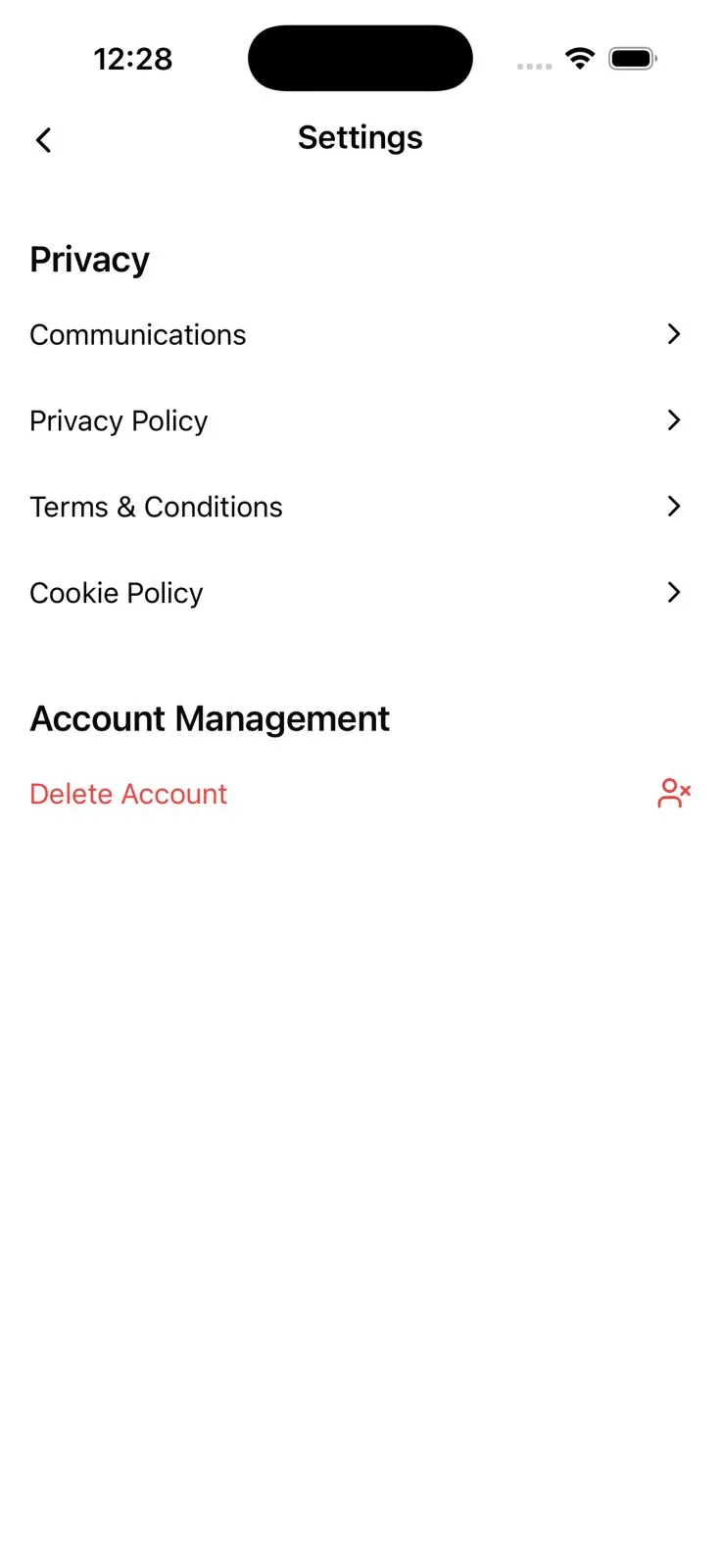
Launch the EtiGo app and tap on your profile icon at the bottom right corner of the screen. From your profile area, select the "Settings" option to access your account management and privacy controls.
2. Prepare for Deletion
Initiate the secure removal process
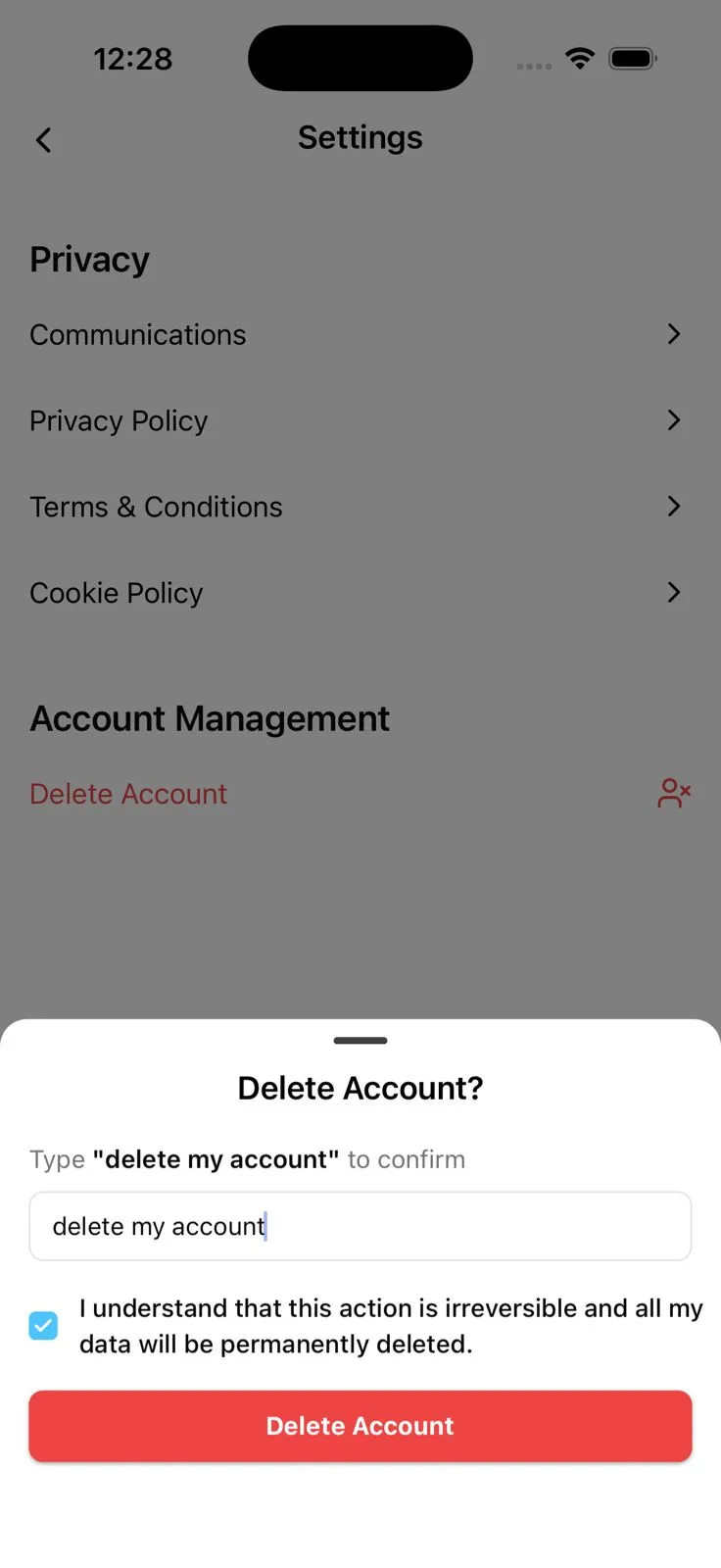
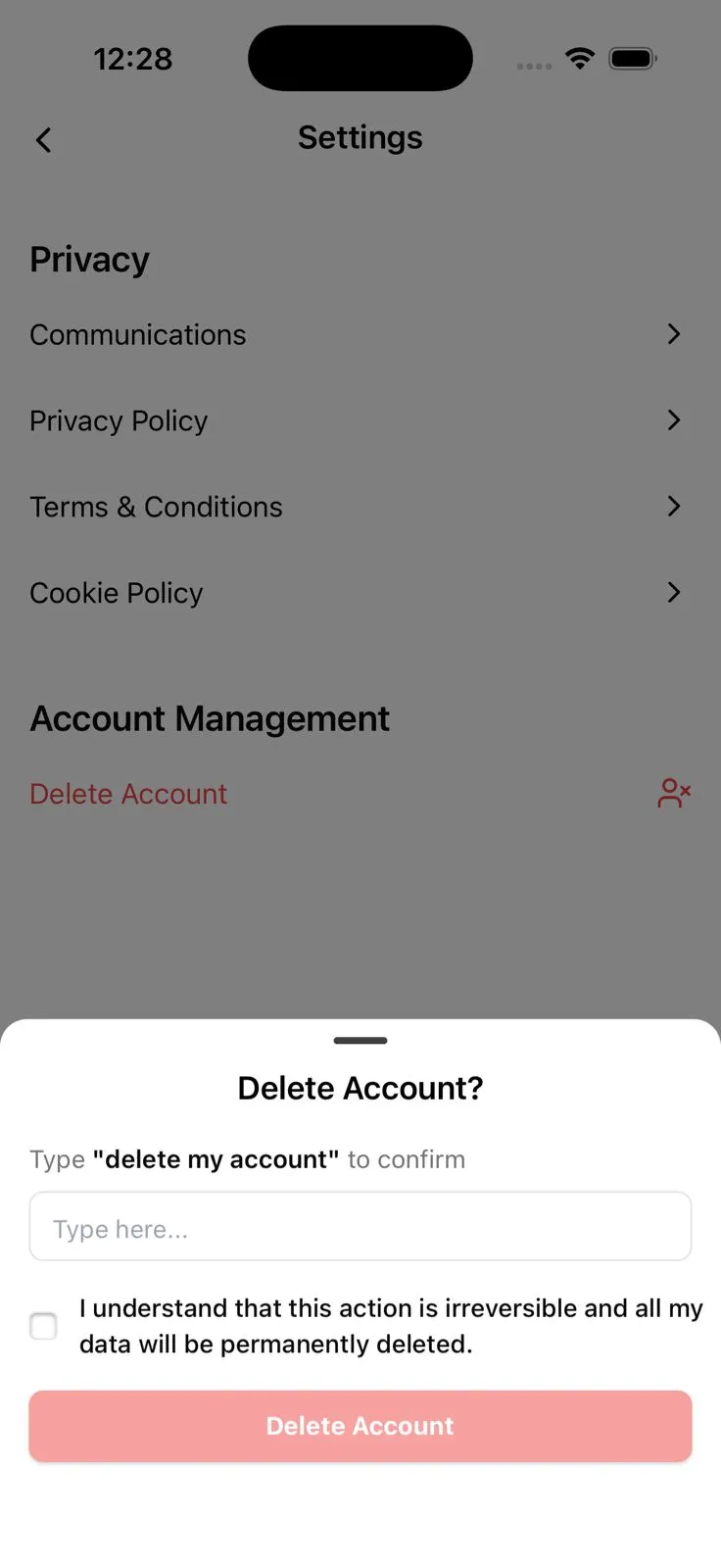
Scroll to the bottom of the Settings menu and tap on "Delete Account." A secure confirmation sheet will appear. As a safety measure, you must type the phrase "delete my account" exactly as shown in the input field to proceed.
3. Final Confirmation
Acknowledge and proceed
Check the box to acknowledge that this action is irreversible and all your personal data, including booking history and preferences, will be permanently removed. Tap the final "Delete Account" button to complete the process.